Tooly.App
A downloadable Tool for Windows and Linux
🛠️ Tooly.App
The Ultimate Productivity & Entertainment Multi-Tool
Tooly.App is a lightweight, all-in-one desktop utility designed to handle your
academic tracking, mathematical needs, and quick gaming breaks.
Built with a focus on simplicity and functionality, it brings
essential tools together under a single, easy-to-navigate interface.
✨ Features
🔢 Factors Calculator
Instantly find all divisors for any given integer.
Perfect for math homework, prime number verification,
or data analysis.
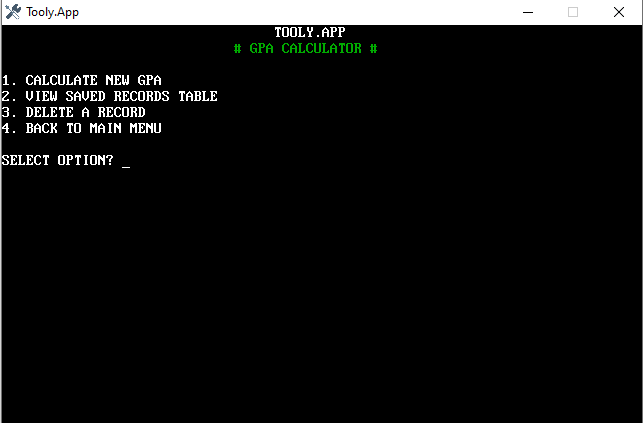
🎓 GPA Calculator & Record Manager
A full-featured academic suite for students:
Smart Calculation: Converts letter grades (A+, B, etc.) into a 4.0 GPA scale.
Multi-Subject Support: Tracks Math, Science, Social, Computer, English, and Nepali.
Database Management: Save your results into a local table, view your
history, or delete old records to keep your stats clean.
🟡Coin Toss
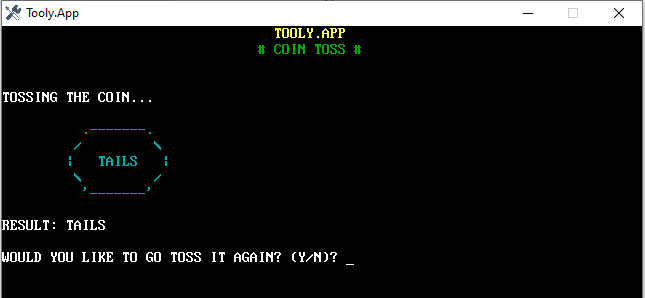
Can't decide? Use the built-in virtual coin flipper.
Features a visual ASCII display for Heads or Tails to help make
unbiased decisions instantly.
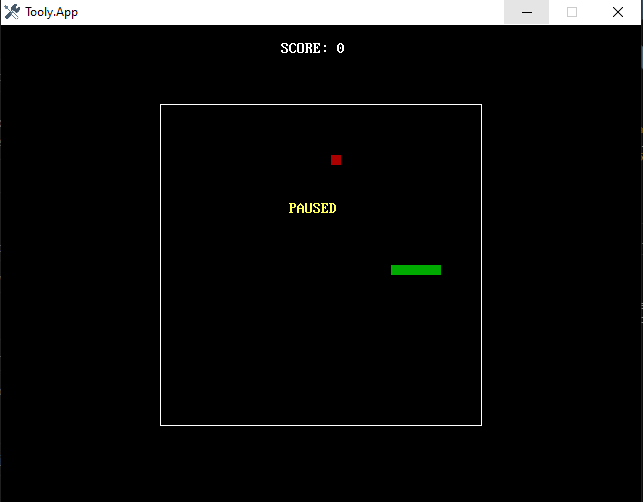
🐍 Snake 2D
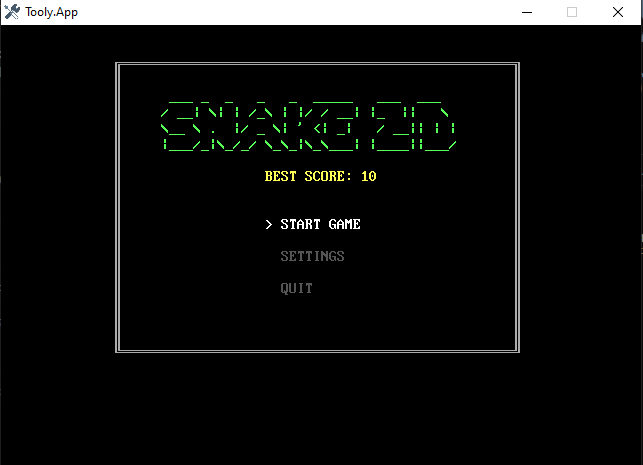
The classic arcade experience rebuilt for Tooly.App:
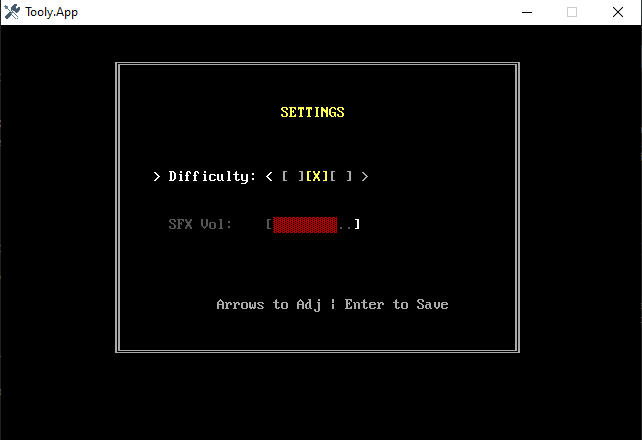
Custom Difficulty: Choose between three speed settings (Relaxed, Standard, or Expert).
SFX Control: Adjustable volume levels for an immersive experience.
High Score Persistence: Your best score is automatically saved to a local
file (snake.sav), so you can always come back and try to beat your record.
🚀 How to Run
Launch: Open the Tooly.App executable.
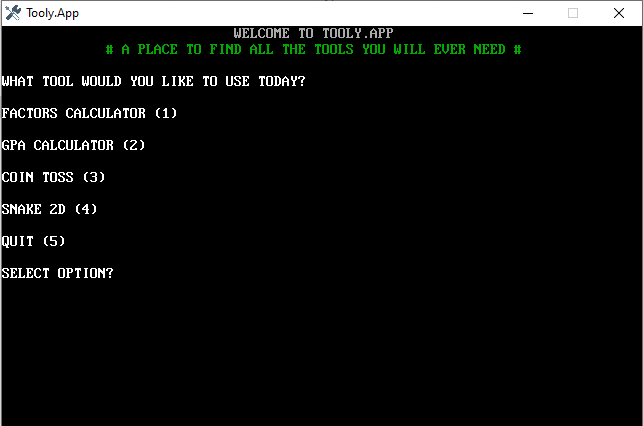
Navigate: Use the numeric keys (1-5) to select your tool from the Main Menu.
Snake Controls: * Arrow Keys: Move
P: Pause game
Enter: Confirm selection
📂 Technical Details
Language: QB64 / QBasic
Graphics Mode: VGA Screen 12 (640x480)
Storage: Saves data locally via .sav and .dat
files for high-score and record persistence.
📝 Developer Note
Tooly.App was created to be a helpful companion for students and hobbyists alike.
Whether you are calculating your future grades or
just killing time with a high-score chase, Tooly has you covered.
Enjoy using Tooly.App!
Download
Install instructions
📥 How to Install & Run Tooly.App
Follow these steps to get Tooly.App running on your computer.
Step 1: Download the Package
Download the Tooly.App V.1.3 from the provided link.!
Step 2: Extract the Files
Since the app is compressed to save space, you must extract it:
- Right-click the downloaded
.zipfile. - Select "Extract All..."
- Choose a location (like your Desktop or Documents folder) and click Extract.
Step 3: Verify the Contents
Open the extracted folder. To ensure the app works perfectly, check that you see the following files:
Tooly.exe(The main application)snake.sav(Created after your first game to save high scores)- The
.icofile (Required for the custom screwdriver/wrench icon)
Step 4: Run the App
- Double-click Tooly.exe.
- Windows Defender Note: Because this is an indie project, Windows might show a "Windows protected your PC" popup.
- Click "More info".
- Click "Run anyway".
- The blue "Tooly.App" terminal will open. Use your keyboard to start exploring!
🛠 Troubleshooting
- "File Not Found" Error: Make sure you didn't move the
Tooly.exeout of its folder. It needs to be in the same place as its data files to save your GPA records. - Screen is too small: Press
Alt + Enterwhile the app is open to toggle Full Screen Mode. - Controls not responding: Ensure Num Lock is ON if you are using the number pad to select menu options.
🔄 Updating Tooly.App
To update to a newer version without losing your Snake High Scores or GPA Records:
- Download the new version.
- Copy your old
snake.savand any.datfiles from your old folder. - Paste them into the new folder, overwriting the blank ones.
🖥️ System Requirements
To ensure Tooly.App runs smoothly and displays correctly, your computer should meet the following minimum criteria:
- Operating System: Windows 7, 8, 10, or 11 (64-bit recommended).
- Processor: Any modern 1 GHz or faster processor.
- Memory (RAM): 512 MB minimum.
- Graphics: Support for DirectX 9 or higher (standard on almost all PCs).
- Display Resolution: Minimum 800x600 (The app runs in a 640x480 window).
- Storage: Less than 10 MB of free space (extremely lightweight!).
Leave a comment
Log in with itch.io to leave a comment.